The most common PHP security mistakes
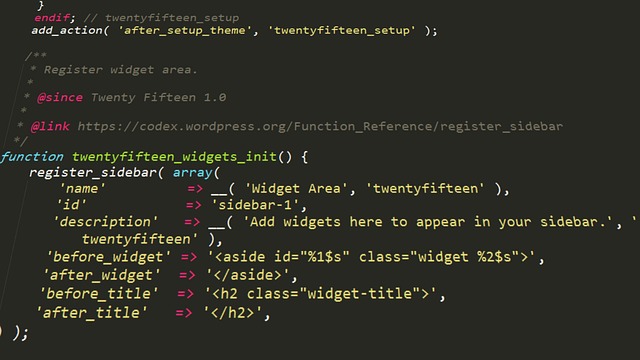
As you can probably guess, we like PHP on this site ^^ PHP is used by millions of websites and web applications. Vulnerabilities do not come from the language itself, but often from bad practices and simple mistakes. A few lines of code can expose an entire application.
We are going to go through some of the most common mistakes.
SQL injection: even with PDO, the risk still exists!
Let's start with a classic security vulnerability. I think most developers know about SQL injections, but that does not necessarily mean they are always properly avoided.
The essential difference is between prepared statements and string concatenation.
With concatenation, data provided by the user is directly integrated into the SQL query:
$sql = "SELECT * FROM users WHERE id = " . $_GET['id'];An attacker can then modify the provided value to inject additional SQL code.
Using PDO does not automatically fix the problem:
$stmt = $pdo->query($sql);This query remains vulnerable because the SQL query was already built before being sent to the database.
The good practice is to use prepared statements with bound parameters:
$stmt = $pdo->prepare(
    'SELECT * FROM users WHERE id = ?'
);
$stmt->execute([$_GET['id']]);
In this case, the value provided by the user is treated as data and not as part of the SQL query.
You also need to be careful in situations where SQL parameters cannot be used directly. Bound parameters protect values, but they cannot dynamically replace SQL structure elements such as a column name, table name, or an `ORDER BY` clause:
SELECT * FROM users ORDER BY ?This type of requirement must be handled using a list of allowed values on the server side (a whitelist), and never with a value directly provided by the user.
XSS: displaying user data without escaping
XSS vulnerabilities are among the most common web vulnerabilities. They occur when an application displays user-controlled data without properly escaping it. The browser can then interpret this data as JavaScript code.
Dangerous example:
echo $_GET['name'];An attacker could send the following data and make this script execute in the victim's browser:
<script>alert('XSS')</script>There are mainly three types of XSS:
- Stored XSS: the malicious code is stored on the server (for example in a comment) and then executed by every user viewing the page.
- Reflected XSS: the dangerous data is directly returned in the HTTP response, often through a URL parameter.
- DOM XSS: the vulnerability is located in client-side JavaScript that directly manipulates untrusted data.
In PHP, data must be escaped before being displayed:
echo htmlspecialchars(
    $_GET['name'],
    ENT_QUOTES | ENT_SUBSTITUTE,
    'UTF-8'
);
An additional protection is to use a Content Security Policy (CSP) to limit the scripts that the browser is allowed to execute.
The rule to remember:
> Any external data must be considered untrusted and correctly escaped according to the usage context (HTML, JavaScript, URL...).
CSRF: making an action happen without the user's knowledge
CSRF attacks exploit the trust an application places in the browser of an already authenticated user.
The principle is simple: an attacker tricks a victim into performing an action without their knowledge. Since the browser automatically sends session cookies, the request can be considered legitimate by the application.
Targeted actions can include:
- changing an email address;
- changing a password;
- deleting an account;
- modifying sensitive settings.
To protect against this, the application must verify that the request actually comes from its own form. The most common method is to use a random CSRF token generated on the server, associated with the user's session, and sent with each form:
<input
    type="hidden"
    name="csrf_token"
    value="<?= $token ?>"
>
When receiving the form, the server checks that the submitted token matches the one associated with the user's session.
Other complementary protections exist:
- use cookies with the `SameSite` attribute;
- check the origin of requests (`Origin` or `Referer`) when relevant;
- protect all actions that modify data, not only visible forms.
Dangerous file uploads
File upload features are often underestimated. An insecure upload can allow an attacker to upload an executable file to the server and potentially take control of the application.
A dangerous implementation looks like this:
move_uploaded_file(
    $_FILES['file']['tmp_name'],
    'uploads/' . $_FILES['file']['name']
);
Several problems can occur:
- forged extensions (`image.jpg.php`);
- PHP files disguised as images;
- double extensions;
- falsified MIME types sent by the browser;
- overwriting an existing file.
To secure an upload, it is recommended to:
- generate a random filename instead of using the one provided by the user;
- store files outside the public folder when possible;
- check the real file type and not only its extension;
- limit the maximum size and allowed extensions;
- disable PHP script execution in the upload folder.
An upload folder should always be considered an area controlled by users. Even if only image files are allowed, you must verify that the received file really matches the expected format.
Exposing sensitive files (.env, logs, backups)
Configuration files are often a preferred target for attackers. A simple web server configuration mistake can make information that should remain private publicly accessible.
I regularly check my website logs and I see robots trying to access this type of sensitive file every day. These scans are often performed at a large scale to find misconfigured applications or accidentally exposed information. It is therefore essential to protect these files as soon as the application goes into production!
An exposed `.env` file can reveal:
- MySQL connection credentials;
- API keys used by the application;
- secrets used to sign JWT tokens;
- SMTP passwords;
- other sensitive infrastructure information.
This information can then be used to access internal services, retrieve data, or take control of part of the application.
To avoid this type of problem:
- configure your Apache or Nginx server correctly;
- use a document root pointing to a dedicated public folder (for example `/public`) to isolate sensitive files;
- never commit your `.env` files to a Git repository;
- regularly check that configuration files, SQL backups, or log files are not publicly accessible.
A good practice is also to store only the files strictly required by the application in the folder accessible by the browser.
Missing server-side validation
A common mistake is trusting controls performed in the browser. However, anything controlled on the client side can be bypassed by the user.
For example, disabling a button with JavaScript or adding HTML validation is not a security measure:
> "The button is disabled in JavaScript, so the user cannot send this value."
An attacker can easily bypass these restrictions by directly modifying the requests sent to the server.
They can manipulate:
- GET and POST parameters;
- cookies;
- HTTP headers;
- form data.
Validation must therefore always be performed on the server side when data reaches the application.
For example, before using an email address:
if (!filter_var($email, FILTER_VALIDATE_EMAIL)) {
    die('Invalid email');
}
cURL: turning an HTTP request into an SSRF vulnerability
cURL is widely used in PHP to retrieve external resources: images, APIs, data imports, or URL previews.
The problem appears when a URL provided by the user is used directly:
$url = $_POST['url'];
    $content = curl_exec(
    curl_init($url)
);
An attacker can then force the server to make requests to internal resources:
http://localhost/admin
http://127.0.0.1:3306
http://169.254.169.254/
The consequences can be serious:
- access to internal services;
- retrieval of sensitive information;
- bypassing network protections.
Some configurations can also allow reading local files, which is particularly dangerous:
file:///etc/passwd
file:///var/www/.env
This vulnerability has already happened to me. Fortunately, an ethical hacker warned me about it, thanks to him 🙂 A beginner mistake... although I had already been a developer for many years. I had simply developed this part too quickly.
To reduce risks:
- allow only required protocols (`http` and `https`);
- disable unnecessary protocols;
- control redirects;
- block private IP addresses if possible.
Example:
$url = parse_url($input);
if (!in_array($url['scheme'], ['http', 'https'])) {
     die('URL not allowed');
}
Poor error handling
Displaying errors in production can reveal sensitive information:
ini_set('display_errors', 1);This can expose:
- internal server paths;
- SQL queries;
- variables containing secrets.
In production, errors should not be displayed and should only be kept in logs:
display_errors = Off
log_errors = On
We should provide as little information as possible, only what is strictly necessary.
Conclusion
Most PHP vulnerabilities rarely come from complex security issues, but rather from simple things. The main challenge is remembering to apply good practices every time. Easier said than done.
With generative AI, we can now limit some of the most common security mistakes, but it does not replace developer experience and vigilance.
